

Google Maps: 10 lesser-known features that make navigation easier
From planning routes before leaving home to navigating without internet and planning stops on the go, Google Maps offers more than just directions.
Google Maps is widely used for getting from one place to another, but over time, it has evolved into a more capable travel and planning tool. Beyond basic navigation, it now offers a range of features that can help users plan trips, avoid crowded places, and manage your travel more efficiently while you’re on the go.
However, even with all these additions, many people still tend to rely only on directions. As a result, they often miss out on several practical tools within the app that can actually reduce uncertainty during travel and make the whole experience far more convenient.
Here’s a look at some features that can help users get more out of the app:
Google Maps can show how busy a location is at different times of the day. This makes it easier for users to avoid peak rush periods and plan visits more comfortably.
Maps can be saved in advance for specific areas, allowing navigation even without mobile data or Wi-Fi access during travel. This is particularly useful in areas with weak connectivity or while roaming.
Street View allows users to visually explore streets, landmarks and surroundings before arriving, making it easier to recognise routes and entry points. It also reduces confusion in unfamiliar neighbourhoods.
Google Maps now allows more natural, conversational route planning using Gemini. Instead of manually searching, users can ask things like “Find a quiet cafe on the way with parking”, and the app suggests relevant stops along the route. It uses reviews and context to offer more intent-based recommendations, making in-journey planning quicker and more flexible.
Google Maps enables users to share their live location for a set period, helping with coordination and safety during trips. This can be especially helpful when meeting others or travelling late.
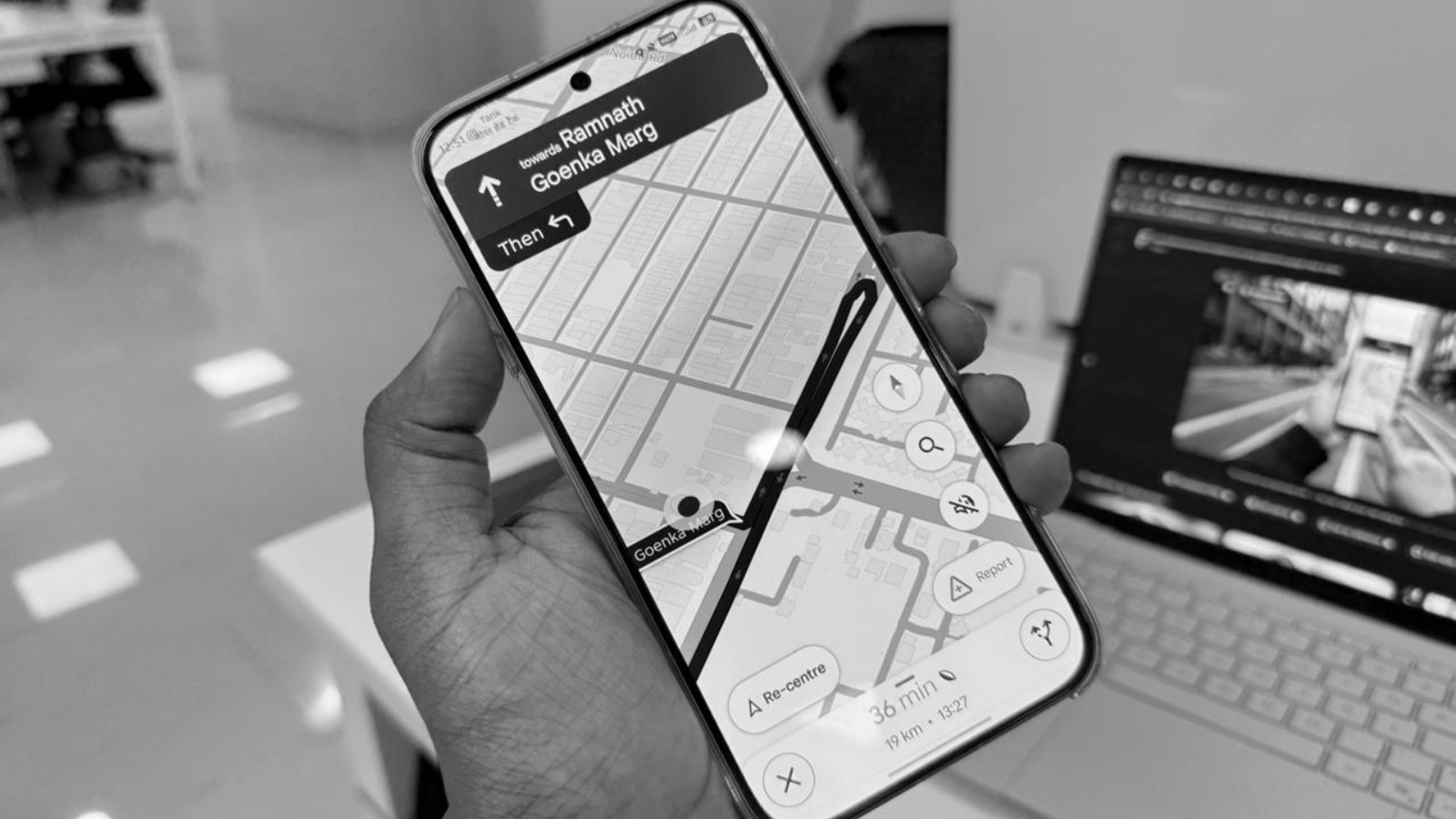
The app allows users to modify a route by adding stops, making it easier to plan fuel breaks, food stops or detours without starting navigation again. This adds flexibility to trips, especially during long drives.
The app allows users to mark where they parked their vehicle, which is useful in large parking spaces or unfamiliar areas. It also reduces the time spent searching for the vehicle later.
Two-wheeler riders can choose customised ‘Navatars’ (navigation icons) based on their bike type or colour. The app also offers specialised routes through narrower roads that are not accessible to cars. It is designed to match how bikes actually move through traffic
Google Maps also provides clear guidance on when to take a flyover and when to stay on the service road. This feature is available in multiple Indian languages like Hindi, Tamil, Malayalam, Punjabi and more, making it easier for users to follow directions. It reduces confusion at complex junctions and highways.
Users can create and organise lists like trip-based folders. This helps keep travel plans structured instead of relying on scattered searches. These lists can also be accessed quickly during travel without repeated lookups.
(This article has been curated by Shivani P Menon, who is an intern with The Indian Express)
Google Maps is widely used for getting from one place to another, but over time, it has evolved into a more capable travel and planning tool. Beyond basic navigation, it now offers a range of features that can help users plan trips, avoid crowded places, and manage your travel more efficiently while you’re on the go.
However, even with all these additions, many people still tend to rely only on directions. As a result, they often miss out on several practical tools within the app that can actually reduce uncertainty during travel and make the whole experience far more convenient.
Here’s a look at some features that can help users get more out of the app:
Google Maps can show how busy a location is at different times of the day. This makes it easier for users to avoid peak rush periods and plan visits more comfortably.
Maps can be saved in advance for specific areas, allowing navigation even without mobile data or Wi-Fi access during travel. This is particularly useful in areas with weak connectivity or while roaming.
Street View allows users to visually explore streets, landmarks and surroundings before arriving, making it easier to recognise routes and entry points. It also reduces confusion in unfamiliar neighbourhoods.
Google Maps now allows more natural, conversational route planning using Gemini. Instead of manually searching, users can ask things like “Find a quiet cafe on the way with parking”, and the app suggests relevant stops along the route. It uses reviews and context to offer more intent-based recommendations, making in-journey planning quicker and more flexible.
Google Maps enables users to share their live location for a set period, helping with coordination and safety during trips. This can be especially helpful when meeting others or travelling late.
The app allows users to modify a route by adding stops, making it easier to plan fuel breaks, food stops or detours without starting navigation again. This adds flexibility to trips, especially during long drives.
The app allows users to mark where they parked their vehicle, which is useful in large parking spaces or unfamiliar areas. It also reduces the time spent searching for the vehicle later.
Two-wheeler riders can choose customised ‘Navatars’ (navigation icons) based on their bike type or colour. The app also offers specialised routes through narrower roads that are not accessible to cars. It is designed to match how bikes actually move through traffic
Google Maps also provides clear guidance on when to take a flyover and when to stay on the service road. This feature is available in multiple Indian languages like Hindi, Tamil, Malayalam, Punjabi and more, making it easier for users to follow directions. It reduces confusion at complex junctions and highways.
Users can create and organise lists like trip-based folders. This helps keep travel plans structured instead of relying on scattered searches. These lists can also be accessed quickly during travel without repeated lookups.
(This article has been curated by Shivani P Menon, who is an intern with The Indian Express)